This is a decision framework, not a universal product ranking or a safety certification. It is designed to help you identify the constraints that should be solved before you buy.
The usual printer comparison begins with build volume, speed, or a list of features. Those matter—but a home printer has to fit the life around it. Where will it run? Who hears it? What happens to the tools, filament, discarded material, and six-hour print when the desk is also where someone works or sleeps?
The complete setup footprint
The printer is only the center of the space you need.
Work outward through four layers before deciding whether a machine fits your home.
-
Printer body
Start with the listed width, depth, and height—but do not stop there.
-
Operating clearance
Allow room for the bed, cables, spool path, ventilation, and every moving part.
-
Supporting workflow
Place filament, tools, maintenance access, cleanup supplies, waste, and finished parts.
-
Household space
Keep doors, chairs, work surfaces, people, pets, sleep, and shared routines in the picture.
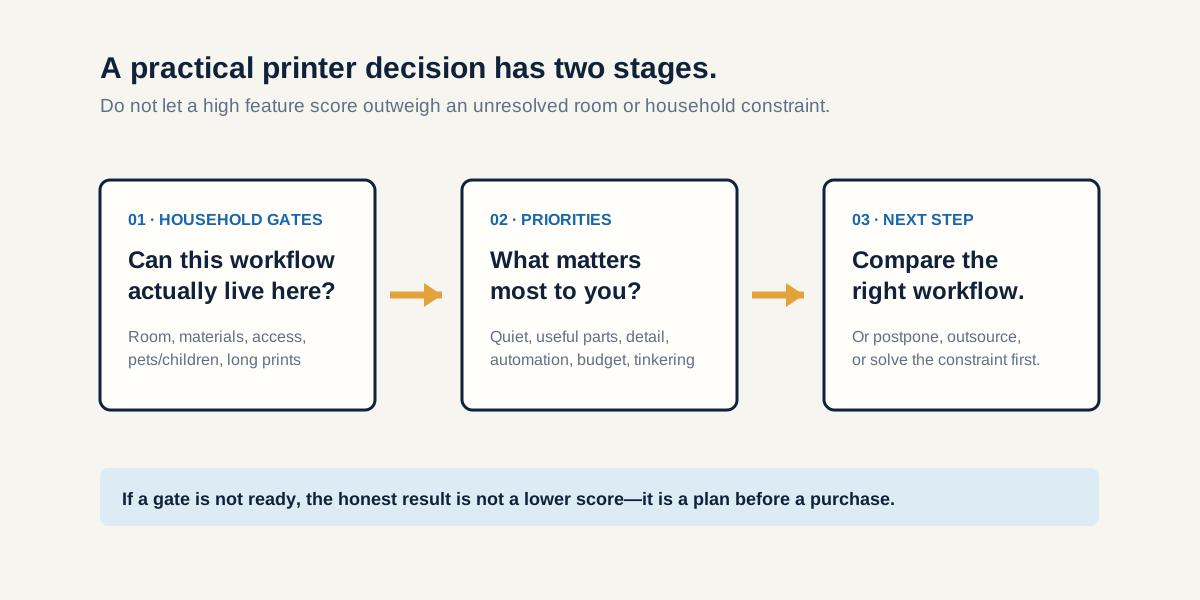
The first question is not “Which printer?”
Start with “What kind of workflow can this room support?” A great feature list cannot fix a wobbly surface, a blocked exit path, no place to store filament, or a shared-room schedule that makes a long print unfair to everyone else.
For some households, the best first move is not ownership yet. A makerspace, library, local print service, or a friend's machine can be the smarter bridge while you learn what you actually need and whether the workflow belongs in your home.
Pass the household gates before comparing features
Then decide what you value most
Once the gates are solid, tradeoffs become productive instead of theoretical. A practical-parts builder may care most about reliable dimensions, useful materials, and repairability. A low-friction creator may prioritize guided setup, monitoring, and a smoother material workflow. A tinkerer may genuinely enjoy the maintenance and modification that another buyer would experience as friction.
None of these preferences is morally better. The costly mistake is buying for somebody else's version of the hobby and discovering that it clashes with your room, time, or goals.
How much space does a 3D printer need?
The listed printer dimensions are only the center of the setup. Add moving-part clearance, a path to reach the build plate and service panels, spools, tools, spare parts, cleanup supplies, discarded support material, and a stable surface. If the printer needs accessories to fit the household you actually have, include them in the price from the beginning.
The same goes for time. A lower up-front price can be the best value for someone who enjoys learning, repairing, and upgrading. For someone with limited time, additional automation or support may be worth more than the feature itself because it changes how often the printer is realistically used.
Use a profile as a starting point—not a verdict
Our assessment identifies a likely fit: Quiet-Space Maker, Practical Parts Builder, Low-Friction Creator, Tinkerer-Builder, Detail-First Maker, or a recommendation to postpone. It does not pick a brand. It gives you better questions to carry into a real comparison.
Try the self-check
Find your printer-fit profile
Answer the room gates and rate what matters to you. The assessment runs entirely in your browser and does not collect your answers.
Open the printer-fit assessment →For a shared-home case study, read the printer that fit the desk—but not the household.